
A better job management system.
For businesses that quote, do the work and invoice it. Jobkiln is job management software for trade and service businesses in Australia and New Zealand. Quotes, jobs, timesheets, costs and invoicing sit on one record. If you're replacing your current job management system, we bring your data across and walk you through it.
Time to check your job system still fits
Whether your current system has changed, become expensive, or only covers part of the job, or you've gone back to spreadsheets, this is a good time to check that your job system still fits the way you work.
What Jobkiln does
Jobkiln follows the job from the first price to the invoice.
- Quote. Price labour and materials, with GST. Issue the quote when it is ready. Accepted work becomes a job.
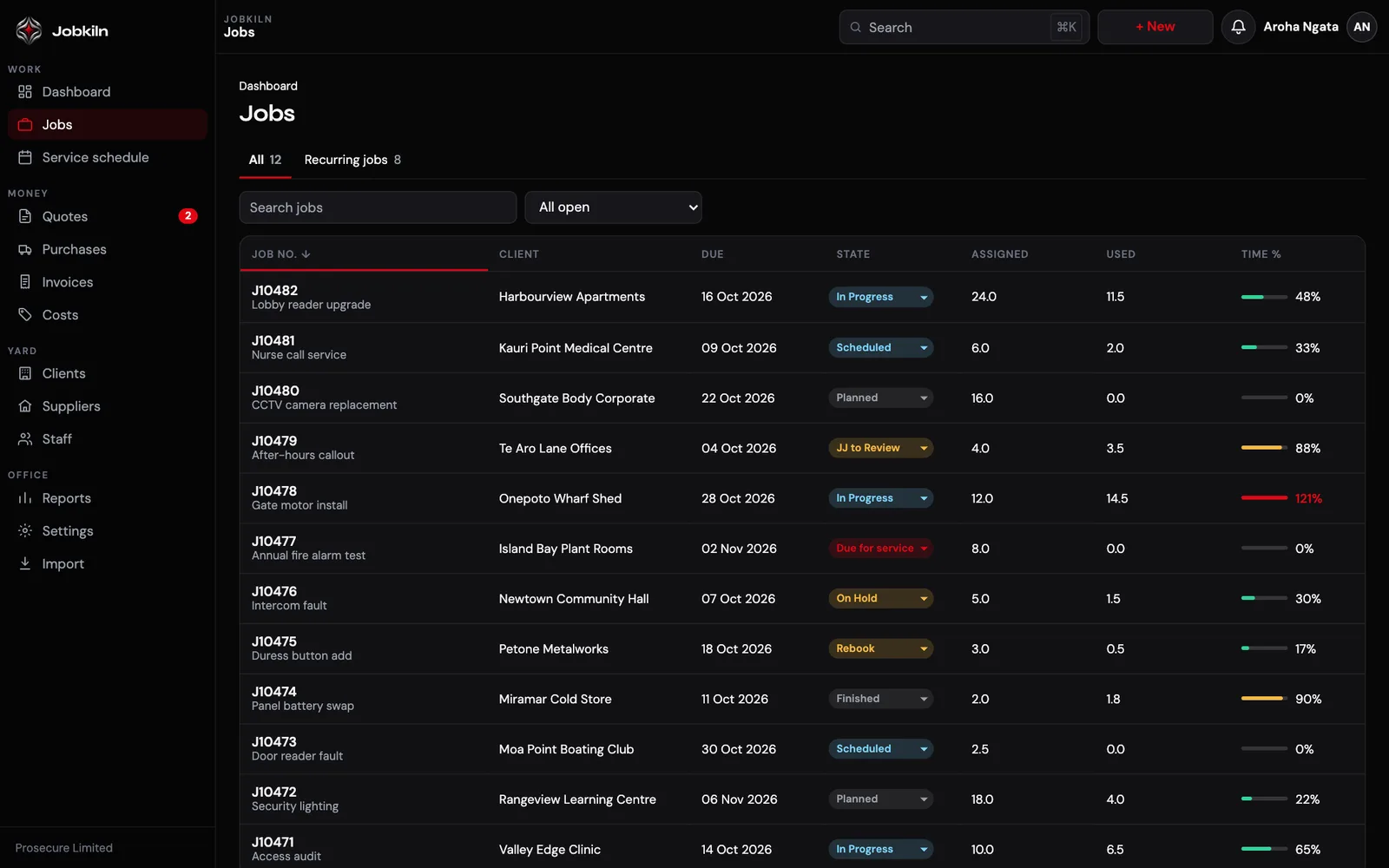
- Job. Each job has its tasks, dates and the people assigned. The brief, the tasks and the profitability sit together, with hours used shown against hours assigned.
- Timesheets and costs. Staff log time on the job, against the task, so you know who did what. Costs and purchase orders land on the job, so the margin is visible before you invoice.
- Invoice. Raise the invoice from the job and hand it off to Xero. Jobkiln does not try to replace your accounting software.
Built for recurring service work too
If you run maintenance contracts, service rounds or regular check-ups, recurring work sits on a service schedule in Jobkiln with a frequency and a next due date. When a visit is due, Jobkiln drafts the quote for you. Nothing is emailed until you send it, and overdue work stays on the list until it is dealt with.
That suits cleaning rounds, IT health checks, inspections and planned maintenance.
Everything else on the job record
- Clients and sites. Clients, sites and contacts stay attached to the jobs and the service schedule.
- Time and attendance. Staff clock on and off. Attendance and hours per person feed the timesheets.
- Passkey sign-in. Sign in with a passkey instead of only a password.
- Stock control. Stock control is included. We build it in when a client needs it, set up the way you work.
- Australian hosting. App data is hosted in Australia, on servers in Sydney. Job photos are stored with Backblaze in the United States.
- Works on the phone. Jobkiln is a responsive, mobile-first website, so field staff use it in the phone's browser. There is no separate app to install.
Moving from your current system
We bring your data across from your current job management system and walk you through it. You get one point of contact for setup and support, not a ticket queue.
What the move covers: clients, contacts, jobs, tasks, to-dos, milestones, quotes, timesheets, costs and payments. How long it takes and what it costs depend on your account, so we quote it on request.
A simple way to plan the switch:
- Book a demo and bring a couple of real jobs, so you can see how they would look in Jobkiln.
- We bring your data across, using the records listed above.
- We import and check it with you, then you run new jobs in Jobkiln.
- Hand invoices to Xero the same way from day one.
Who Jobkiln suits
Jobkiln fits if you price the work, track the hours and bill the job. That covers trades, cleaning, IT and managed service providers, property maintenance, landscaping, and consultants and agencies.
It was built by a working trade business that quotes, schedules and invoices its own work every day.
What Jobkiln doesn't do yet:
- It isn't an accounting system. Invoices are handed off to Xero rather than replacing it.
- There is no offline mode yet for areas with no signal.
- There is no project-based costing with budgets and variations yet.
Because Jobkiln is custom software tailored to each client, not one fixed platform, features like these can be built in for your business. Ask us about them in your demo.
Pricing
Pricing is on request, because each setup is tailored to your business. Book a demo and we'll quote it.
Accounts are set up for you after a demo. There is no self-serve sign-up.
Common questions
Can I move my data from my current system into Jobkiln?
Yes. The import covers clients, contacts, jobs, tasks, to-dos, milestones, quotes, timesheets, costs and payments, and we'll walk you through it. Timing and cost are quoted on request.
Does Jobkiln replace my accounting software?
No. Invoices are prepared in Jobkiln and handed off to Xero.
Where is my data hosted?
App data is hosted in Australia, on servers in Sydney. Job photos are stored with Backblaze in the United States.
Does it handle GST?
Yes. Quotes include labour, materials and GST, for both New Zealand and Australian GST.
Is it only for trades?
No. It suits any service business that quotes, does the work and invoices it, including cleaning, IT and MSPs, property maintenance, landscaping, consultants and agencies.
How do I get started?
Book a demo. We'll show you around, then set you up.
See your own jobs in Jobkiln
Tell us how you run your work today and what your current system does for you. We'll show you quotes, the service schedule, and how an invoice is handed off to Xero.
Book a demo